
Discounts as rules, not as price lists
Every campaign run through a price import gets paid for twice: once to set it up, once to unwind it. Binding discounts to categories and product groups changes that arithmetic. A look at how discount campaigns work in Shopware 6, and what is left to measure afterwards.
A seasonal sale across 400 products, two weeks, three customer groups on different terms. Without tooling that means exporting prices, calculating the discount, importing, and pushing everything back on the closing date.
The work itself is the smaller problem. What follows is worse. One import goes sideways, three products keep the sale price, and nobody notices until the margin is missing from the quarterly numbers.
Treating a discount as a rule instead of a price list reverses the order of operations. Products do not receive new prices. A campaign receives a scope, and the prices follow from it.
Why a cart-level discount arrives too late
Shopware ships its own promotions. They apply in the cart. The price in the category listing stays untouched, and the discount shows up only after the click. For voucher logic that is exactly right. For a campaign meant to work in the listing itself it is not enough, and visibility is the whole reason discounts move anything.
Which leaves the other option: touching the prices themselves. That is where the double effort comes from, once at launch and once at teardown, along with plenty of room for mistakes nobody spots straight away.
Anatomy
What a campaign defines
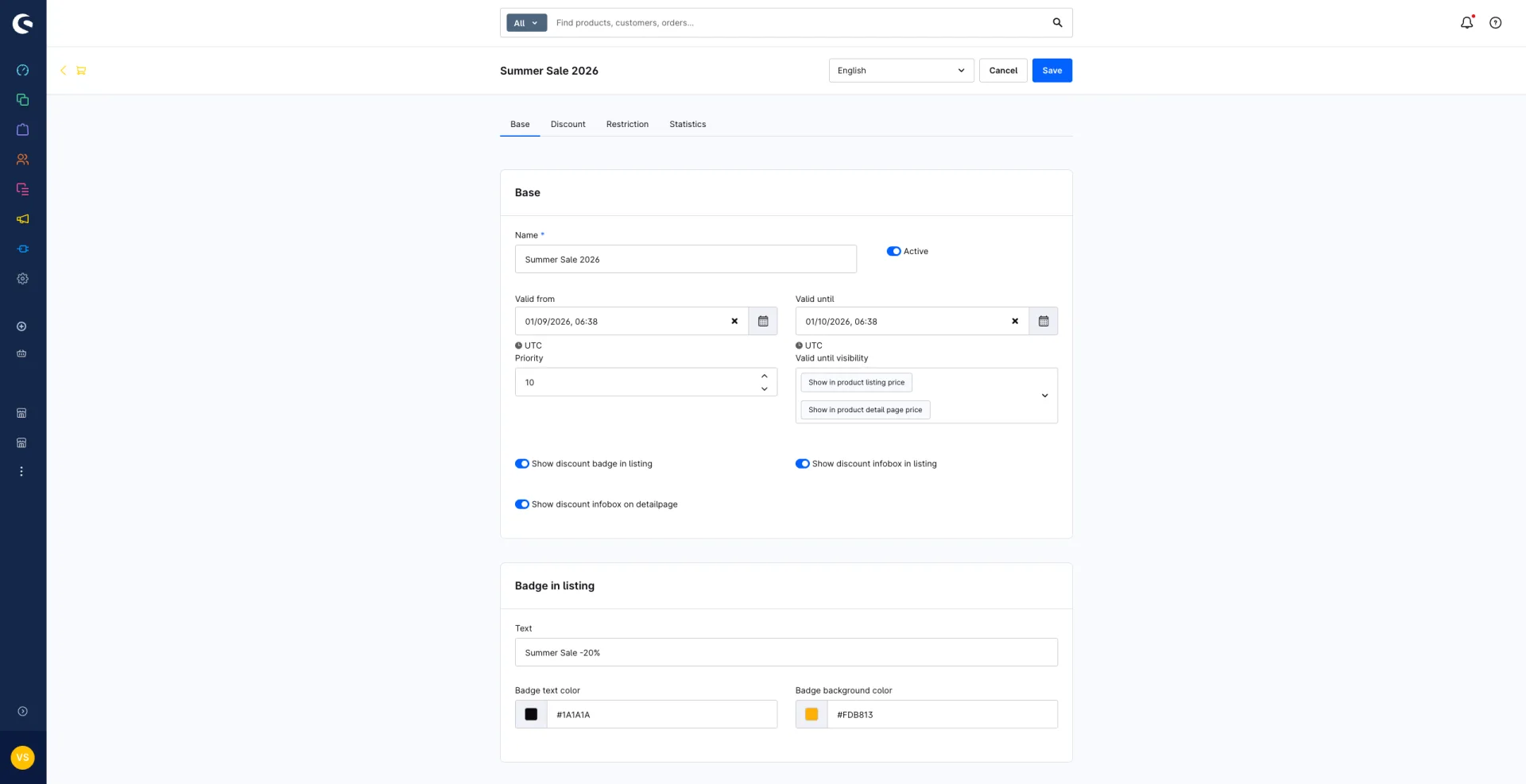
A discount campaign comes down to five decisions. Everything else stays standard Shopware.
Campaigns can be duplicated. Last autumn's sale becomes the template for spring, colours, copy and scope included.
-
01
Scope
Include or exclude categories, extended by dynamic product groups. That covers cases like "everything except new arrivals" without touching a single SKU.
-
02
Amount
Relative or absolute, and it can add a surcharge instead of a discount. Rounding is configurable: default, sensible, up or down. 47.53 becomes 47.49 rather than an odd number.
-
03
Timing
Valid from and valid until, down to the minute. The end of the sale becomes a date rather than a task somebody has to remember.
-
04
Presentation
Strike price, percentage or both, configured separately for listing and detail page. Plus a listing badge and info boxes with their own copy and colours.
-
05
Priority
When two campaigns overlap, priority decides. A global setting determines whether multiple discounts add up or only the highest one counts.
Restrictions
Discounts that do not apply to everyone
One price for everybody is the exception in B2B. Every campaign can be narrowed down, individually or in combination.
- Customer group
- Resellers see different terms than retail buyers, in the same shop, without a second catalogue.
- Individual customer
- For negotiated terms with one account, with no separate price list running in the background.
- Sales channel
- The sale runs in the B2B channel and the outlet, not in the main shop. The system is switched on per channel anyway.
- URL parameter
- The discount applies only when the page is opened with ?sale=yes. Traffic from a specific ad sees the price, organic traffic does not.
- Cookie
- Same idea, tied to a cookie instead. Useful for landing pages and closed campaigns.
- Promotion block
- Individual Shopware promotions, or all of them, can be blocked while the campaign runs. No 20 percent voucher stacks on top of a sale price.
The cart shows a message when a voucher is rejected because of the campaign. That costs less support time than a silent failure.
The interesting work starts after the sale
Most discount campaigns end without any evaluation. Revenue was there or it was not, and the rest is memory. Each campaign therefore keeps its own numbers: order count, number of discounted products, revenue, total discount and margin, plus units sold per product.
This gets useful from the second campaign onwards. When one product moves 300 units and eats the entire margin while another carries the contribution with 40 units, the next campaign gets smaller and more profitable. Without those figures the discount rate stays a gut decision that gets repeated every year.
What remains
The decisive part of a sale is not the percentage. It is the question of who gets to see it, for how long that holds, and what shows up in the numbers afterwards.
Settle those three points in advance and the import, the teardown and the January argument all disappear. The rest is craft: create the campaign, set the scope, enter the end date. Then actually go back and check what the sale earned.
The “Discount category” extension is available for Shopware 6. The PremSoft team is happy to answer questions about setup or individual requirements.